
Connect Claude.ai
For Claude in a browser, Claude Desktop, and the Claude app on your phone: add it once on the web and it's there in all three. Using Claude Code instead? It doesn't need any of this: see Use a chatbot on this computer.
First, an address
Claude.ai runs on Anthropic's servers, so it needs an address for your computer. Pick one:
Add memoreei to Claude
In Claude.ai, open Plugins in the sidebar.
Press Add, then Add custom connector.
Name it memoreei and paste your address. With Relay it ends in .memoreei.net/mcp; with your own, it's your address plus /mcp.
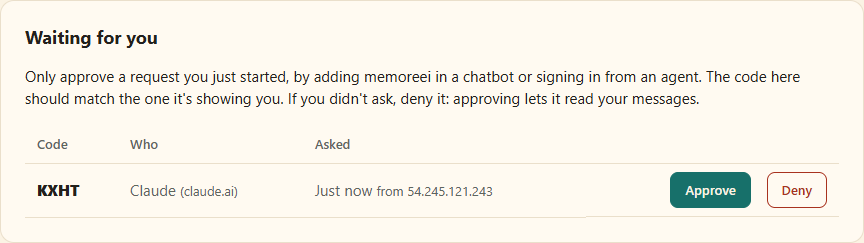
Claude shows a page from memoreei with a short code, and memoreei asks on your computer: the same code appears under Waiting for you on its Connections page. If they match, press Approve there.
Ask Claude something only your messages know.